.png?width=230&height=580&name=Bryx%20Logo%202020%20(White).png "Bryx Logo 2020 (White)")
Every activation creates a timestamped incident; initiating device, time, location, and event details. Replacing ad hoc verbal escalation with a consistent, auditable workflow.
PANIC BUTTONS
Help, called silently. Sent Instantly.
Learn about the Retail Worker Safety Act:
HOW IT WORKS
From Button Press to Coordinated Response
PLATFORM CAPABILITIES
Fixed Panic Buttons & In-Store Alerting
Bryx Alerting Unit
A public-safety grade industrial computer anchors each store; supporting unlimited connected buttons, strobes, and visual devices.
Configurable Buttons
One, two, or three-button stations with tamper covers; each button drives its own response workflow by incident type.
Visual & Audible Alerts
Color-coded strobes (e.g., lockdown vs. lockout) plus alert tones and text-to-speech announcements over the store's existing PA.
Silent by Design
A single press silently notifies responders critical when drawing attention would increase risk to employees or customers.
Building Integration
Dry-contact relays interface with existing building systems; lighting scenes, hard-wired alarms, door control expansion.
Your Hardware, Your Vendors
Bryx integrates commodity devices (e.g., STI) procured through your preferred vendors; no proprietary hardware lock-in.
PLATFORM CAPABILITIES
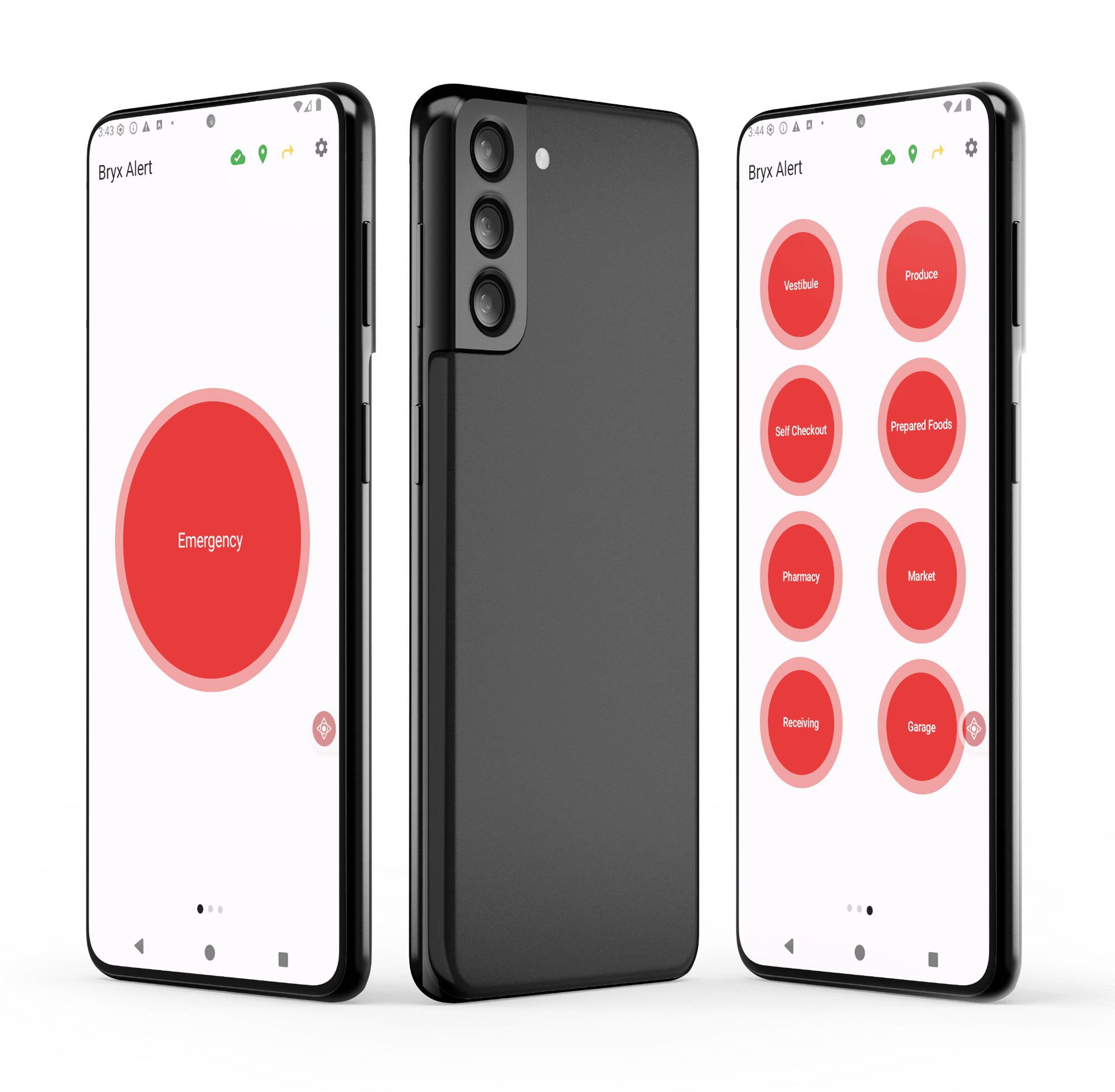
Mobile Panic Button Application
Unlimited Devices
Deploy to every authorized employer-provided device per store; no per-seat licensing, no device caps.
One-touch & Lock-screen
Single tap in-app, or triple-press the volume button to trigger from the lock screen without opening the app.
Two-way communication
Once acknowledged, the SOC can push status updates and instructions directly to the employee mid-incident.
Manager Notification
Optional simultaneous routing to store managers and in-store security via Bryx Mobile; local response starts immediately.
Privacy-compliant
No location tracking unless an alarm is triggered; aligned with the RWSA's employee-privacy requirements.
Fast to Scale
Software-only deployment rolls out across stores in days; an ideal rapid-compliance layer alongside fixed hardware.
INCIDENT MANAGEMENT
Every Activation, Documented & Coordinated
-
-
A single console shows incidents, response activity, and history across every participating store; one operational picture for security leadership.
-
Activations, acknowledgments, and response actions are retained for after-action review, workplace-violence program documentation, and regulatory reporting.
-
Real-time notification to the Security Operations Center enables rapid assessment, remote escalation of in-store alerting, and law-enforcement escalation when appropriate.
STILL HAVE QUESTIONS?